For this project I had to design an idea for a game and visually record my ideas and put my ideas into words in a understandable way for others to visualize my idea.
I begun with idea generation for the kids animation game and researching into existing flash games and garnering inspiration. I found the site Newgrounds an excellent source of research and inspiration, topped with flash games. And from past use of the site and playing many games on the site, I already had alot of inspiration and ideas for my game. I looked into lineart and how it works and details an image. And experimented with doing reference images in lineart, this was a good way to learn how lineart works and how it distinguish the difference features and body parts of whatever drawn.
A big part of this project was going to Dartmoor to take at least twenty images for my game design. These images would be the scenes for my game and I would manipulated one around my game idea. My idea for my game, was an fantasy adventure type game, moving between the different scenes(images) by choosing which way you want to go, often you will be given more than one direction to go, taking you to different scenes. For example, you have a scene with a path going two ways, one way would lead to a cave entrance and the other would go into woods.
The game will center around the player, and one on screen character companion who interacts with the player through text and such. Giving opinions on the scene they are in, or situations they are in. To create my character, I used a graphics tablet to draw her. This is my first time using a graphics tablet and was a great connivence for my project, helping me draw my character, do my lineart and also to draw tokens and other things for my game, most of which can be seen in my manipulated image.
Overall I like my idea for my game and feel it worked well for the dartmoor setting. I am just concerned over how well I managed to portray my ideas into words and also visually.
If I could do something differently about my project, it would probably be to use the graphics tablet more, as I feel I probably used it a little late into the project, but despite that it was still a great help. Furthermore I would have done more to my character, such as fully detailed and coloured and more poses, but time constraints made this problematic to complete.
Wednesday, 22 June 2011


Tuesday, 21 June 2011
Photo manipulation
 \
\This is one of my selected images from Dartmoor. In this I have included my character, and several tokens which can be interacted with. These include the weapons found outside the cave, which can be picked up by clicking them. The footprints which allow you to go either into the cave or the other one for going back the way you came. A backpack at the top left of the screen to look at your inventory. Health at the top right of the screen which can be clicked if you have health potions which will restore lost health. My character is in a sketch stage and not coloured as I had little time to spend on it. But this should give a general idea of what my visual idea of my game is.
Monday, 20 June 2011
3 chosen pictures for Game Design


 For this image, I liked the cluster of rocks on the plains of grass, and the horizon to the image. The colour and contrast of the grass and the sky give the impression it's sunset. I felt this good be an interesting and attractive part of the game to come across if playing.
Sunday, 19 June 2011
Character Sketch 2

This is a side sort of view pose, where the character is looking towards the player. In this pose in the screen, the character can have speech bubbles with text aimed at the player. This allows interaction between the player and companion character.

Road Signs

Road signs are a way of indicating to drivers what to do or not to do where ever they are currently driving.
The use of symbols for road signs, is to simplify a meaning to drivers instead of having to read text as they drive, as this could be difficult to read and also dangerous, distracting the drivers attention without something long and complicated. By learning symbols and theie meanings, people can take a glance at a road sign and instantly understand the symbols meaning and know what to do.
Flower Lineart

Working with the leave parts of the flower first, the lines below other lines higher up, give the impression of leaves behind them.
Insect lineart

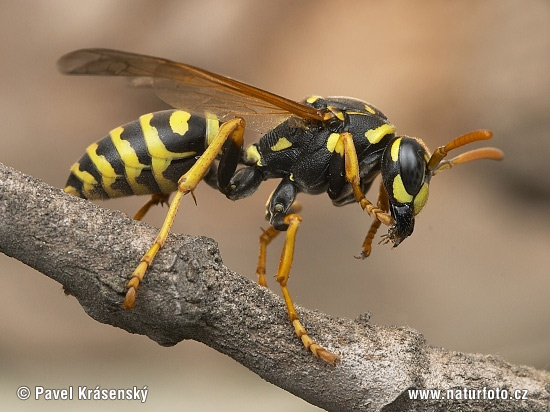
This line art of a wasp didn't work as planned. I tried to distinguish the difference between the black and yellow areas of the reference image, but this didn't work as planned. The areas where it would be black would probably have to be filled with black. But none the less this was a useful practice and experimentation to learn how line art works.
Animal Lineart

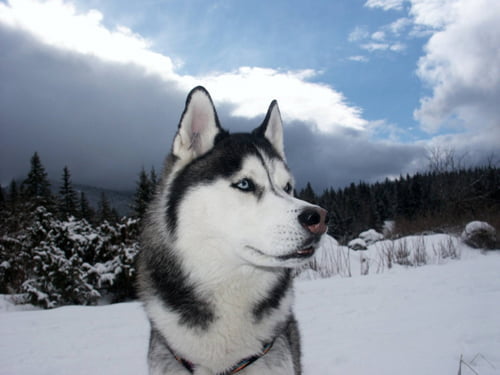
This is my line art for an animal. My choice was a husky. To create the impression of fur I tried straight lines, but this didn't give the impression and distinguish it as fur. So I changed the straight lines to bumpy lines and sharp edges which then distinguished it as fur and greatly improved the overall image.
Monday, 6 June 2011


Line Art Research

Many of the lines for this image, distinguish the different body parts. Take for example, the lines at the bottom of his legs and the star of his feet, these lines distinguish the differences between these two parts, making everything above the feet give the impression it is fur.
Monday, 23 May 2011
Visually planning game
Using the images taken on Dartmoor. I visualised what sort of game would fit into this image and what sort of game I would want to see put into these images. Using this method has helped me generate some ideas of what games I want. For one idea I could have a Space invader styled game, with the pictures used as levels. I could use the landscape to my advantage, using the land as the bottom, where the player controls the defender, with cover to hide under on the land. And the aliens coming down from the sky. For my second Idea, I had an idea of a fantasy styled game, making use of the images as different scenes. By using the images, I could have characters on screen, along side you the player. You have the choice to choose paths, each leading to different images/places. You can encounter enemies in certain scenes, depending on what path you choose(these could also be random encounters?)
Twenty chosen pictures
 I had my idea visualised for this photo
I had my idea visualised for this photo

 I had my idea visualised for this photo
I had my idea visualised for this photo

 I had my idea visualised for this photo. This looked like an interesting path for a game, and the tree on the left of the screen added to the scenery
I had my idea visualised for this photo

 I had my idea visualised for this photo
This seemed like a good down hill shot

 This seemed like a good down hill shot
This seemed like a good down hill shot

 This seemed like a good down hill shot
This seemed like a good down hill shot

 This seemed like a good down hill shot
Down hill shot with sky and distant hills.


 This image could be used as a cave in my game
This image could be used as a cave in my game

 This scene has a nice cluster of rocks
Distant rocks

 Distant rocks
Rocks in the distant and on the horizon of the image.

 Far image, which strange hills
Wednesday, 11 May 2011
Draw Me A Story museum
The Art of Illustration for Children
Many of the art was simple illustrations, as they are for Children's art, making it simple to understand. Many using very bright, colourful colours, mainly primary colours.
Depicted emotion of the art very exaggerated.
Most pictures have a lack of backgrounds to make it more focused. The majority of the art at the exhibition was based on line art
Many of the art was simple illustrations, as they are for Children's art, making it simple to understand. Many using very bright, colourful colours, mainly primary colours.
Depicted emotion of the art very exaggerated.
Most pictures have a lack of backgrounds to make it more focused. The majority of the art at the exhibition was based on line art
Wednesday, 4 May 2011
Kids Animation
Newgrounds is a good website for movie animation and interactive animations. The site also uses an age rating system which helps filter more mature content from the animations aimed for the younger audience.
Subscribe to:
Posts (Atom)